Monthly Archives: August 2021

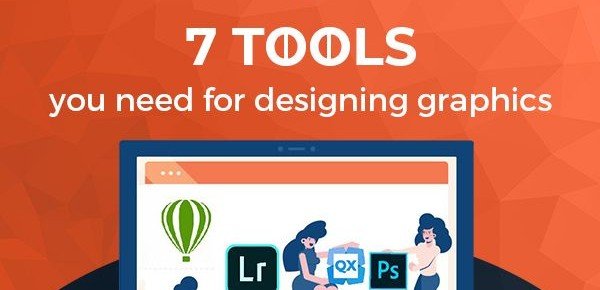
7 Tools You Need for Designing Graphics

7 Tools You Need for Designing Graphics

Introduction

You have come to the right place if you want to add some more essential tools to your graphic design toolbox. Listed below are the best hardware, software, and other tools for graphic designers at every level to make their work easier. No matter what you’re looking for, our recommendations can help you select the best option. It is possible to combine art and technology in surprising ways to create practical, useful, and beautiful things. As the industry evolves, more creative freedom and lucrative career opportunities are created.

Importance of Graphic Designing Tools

The most powerful tool of a graphic designer remains in his very own creative mind. In the case of graphic design, the computer and other software are just indispensable to achieve a quality design. A good graphic designer must know which tools to use and must also be adept at using them. An effective graphic designer can even use Microsoft Word to create a simple graphic design. In addition, the range of software or applications that a graphic design company has in its toolbox demonstrates its ability to come up with highly customized designs that are excellent and truly unique.

Components of an Ideal Graphic Design Toolbox

With the help of a Graphic Design Toolbox, you can easily create flyers, brochures, books, magazines, and more, even if you have less graphic design skills or no design skills. It is designed to assist designers with creating printable layouts & pages. In a basic graphic design toolbox, there should be at least:

  • an image editing software
  • a page layout software
  • a multi-media development software
  • an image development software like Adobe Photoshop

7 Tools You Need for Designing Graphics

When it comes to graphic design, you will find yourself using an array of tools and hardware to remain agile and flexible. For this reason, we have compiled a list of the 7 most important tools you need for designing graphics.

Notebooks

We all have a preference between softcover and hardcover between a small or a large-sized notebook. No matter what you prefer, you need a place where you can doodle, sketch, make notes and write down ideas. A paper of good quality needs to be able to handle the medium you will regularly use, while still being convenient to carry around to school, the coffee shop, or on a bus. Spend some time researching and investing in a quality notebook.

Creative Software

Sketching out ideas and designs in a notebook is an excellent method for coming up with new designs, but graphic designers should also consider software as an essential tool. It does not matter if you are a beginner or a seasoned designer, as having the right digital graphic design tools can make a noticeable impact on your finished product. Many programs, including easy-to-use and advanced ones, provide you a great level of creative control. Adobe Photoshop and Canva are probably on the top of your mind, but there are many others to consider before you choose one.

Large High Definition Monitor

Monitors with large and high-definition screens can seem more like a luxury than a necessity. Nevertheless, the monitor you use can have a significant impact on your work. Most people have no idea how to choose a monitor.  We understand how easy it is to get lost in the jargon. Whatever monitor you buy, pay attention to its resolution regardless of whether it is a 4K monitor. The majority of graphic designers prefer to work with UHD (3848×2160 pixels) or QHD resolution. It’s important to note that size does matter here, so designers typically advise between 27 and 32 inches.

Sketch

Photoshop used to be the ultimate tool for digital design. In a constantly evolving industry, graphic designers have to keep up with the latest technology. Although all of the new software has been promising, Sketch seems to stand out. Sketch is a vector graphics editor that combines a design toolkit with a logo editor to let you create unique logos, animated graphics, and layouts. Using Sketch is a pleasure due to its design and its cool features, which improve the user-accessibility.

External Hard Drive

Anyone who works with a lot of data, or whose work is dependent on many external files, needs a reliable external hard drive. The hard drive is a handy, portable storage device that can be used for large amounts of data. It is even more important to use them for backups, as they can vastly increase your computer’s storage capacity, which is especially valuable if you plan to create large animations, films, or other files on your computer. A graphic designer cannot function without an external hard drive, even though they are not specifically designed for it.

Monitor Calibrator

Monitor calibrators are another piece of graphic design hardware that often goes unmentioned but is so valuable. Regardless of how wonderful your photos or video may appear, you may suffer if you work on a monitor with warped colors. As a result, you can rarely see this kind of warping with your naked eye, and it is frequently difficult to adjust after the fact. You must also use a high-quality camera and lens, and your monitor must be able to display real-world images as well.

iMac Pro

You might think that the iMac Pro would be on the list because it’s one of the most popular graphic design tools. Is it not true? This is so widely used in the creative community that it has become the go-to hardware for design houses and ad agencies everywhere. Purchasing an iMac is well worth the investment whether you work as a freelancer, student, or for an agency. Graphic designers should not overlook this powerful tool, which is easily one of the most expensive all-in-one computer options available.

Conclusion

There are literally thousands of creative possibilities when it comes to graphic design. It is now possible to build a portfolio and a career that was not even possibly imagined 10 years ago. Investing in the right graphic design tools can be a great move in this context. Make sure you think about adding these gadgets to your list if you want to stay up-to-date on the latest technology and boost your creativity.

Motion Graphics: Trends & Hacks

Motion Graphics: Trends & Hacks

Introduction

Animation that creates the appearance of movement or rotation is called motion design or motion graphics. Some of the latest and most effective advertisements on Instagram have utilized designs in motion to a great extent. Motion graphics can include everything from a moving text bubble to an illustration of characters walking through an environment.

Main Objective of Motion Graphics

Motion graphics are great for:

  • Explaining a complex topic
  • Showcasing a new product or feature
  • Building brand awareness
  • Differentiating a company from its competitors
  • Storytelling or self-expression

5 Quick Motion Design Hacks

Motion design is not an easy task. These motion design hacks will help you get great results if you’re short on time. It is a real challenge to create awesome motion design sequences. The good news is that there are several simple things you can do to make the process easy. Here are 5 great motion design hacks that will provide the advantages of creating animated videos.

1. Depth of Field

The human eye and the camera both have a depth of field, so it makes sense that introducing some depth to your designs will enhance their visual appeal. Despite the fact that it can get out of control quickly, depth of field is a great way to quickly add visual interest to your scene.

2. Smooth Movements

You can make your designs more custom by easing your keyframes. The graph editor should be used instead of its built-in ease of interpolation. With the graph editor, you can specify how your keyframes work precisely. Disney animators Ollie Johnston and Frank Thomas included smooth motion in their book The Illusion of Life: Disney Animation in 1981, which was a compilation of 12 principles for animators to follow.

3. Excellent Font Choice

It is really challenging to choose the right font for motion design. As opposed to still design, viewers of motion design will only be exposed to a font for a predetermined period of time. Consequently, you need to choose a font that is clear and easy to read yet intriguing enough to capture your audience’s attention.

4. Move the Camera

A still camera creates a static scene. Moving the camera around in 3D space, regardless of how simple it might be, will increase visual interest and provide greater depth to your scene. You just need to create a new design in Adobe After Effects and set the layers to 3D. Besides looking great, it is also fast and easy to do!

5. Pick a Color Palette

Motion design is incredibly dependent on color theory. If you want to pick great color palettes, rather than try to decide what looks good, there are lots of great online resources available. You can navigate through the color palette quickly with keyboard shortcuts and then export them as a PDF when you’re ready!

Some Trending Motion Graphics Animation

An animated visual presentation of your brand or product gives your audience an unforgettable experience. Whatever the video content may be, motion graphics usually take it to a whole new level by enhancing the message and making the video almost unforgettable. Your audience can be engaged in real-time with trending graphics, such as 3D animation techniques. Another benefit of incorporating motion graphics is that videos can generate 1200% more shares than text or images. Check out several animation trends of 2021.

Liquid Motion Graphic

The After-effects software has literally pushed motion animation to new heights, and we will reveal its secrets. There is nothing more creative than liquid motion animations. Moreover, the videos are well-presented, smooth, and colorful, which makes them extremely engaging. Apart from all of the other factors mentioned, the splashy shifts and transformational shapes are only enhancing the experience and bringing the viewer’s attention.

Isometric Design

Most brands commit the same mistake of including too much in just one motion graphic animation. There is a problem with this approach. By using too many images, facts, and figures, the audience feels overwhelmed, and, as a result, the idea of engaging them is compromised.

Bold Typography

The highlights of your business can be showcased by bold typography-based motion graphic videos. Clear and strong messages are delivered in these videos. Additionally, you get to emphasize the core message of your video using bold and large typography.

Virtual Reality

Virtual reality graphic animation is the one type of animation that just about everyone is familiar with. It is possible to give your customers a real-life virtual experience related to your brand, service, or product by taking advantage of this animation trend, which has been growing and evolving continuously over the past few years. Furthermore, virtual reality is highly focused on quality and creativity, so you may convert your viewers immediately.

Thin Lines Motion Graphic

How about creating a graphic animation that connects your brand’s different products and services in your video? Thin lines are a perfect choice if that is the case. A thin line reveals the person behind a brand to your audience. This motion graphics animation has sketchy vector lines that reflect hand-craftsmanship and in a subconscious manner, represent the people behind the brand.

Morphing Animation

Morphing animation is basically a graphical representation of your whole brand like GIF. The logo, images, and culture of your company can be represented with the help of this animation graphic. This animation will help the user to get engaged with your brand in the shortest amount of time. Animated transitions will play a large part in a variety of branding campaigns, as users spend 2.5 seconds on any internet content they access.

Website & Application Motion Graphics

Thanks to the modernization of the digital world, we have many opportunities to engage our audience. The average viewer skips your brand and hops on your competitors if it does not have an aesthetically pleasing website today. The same goes for apps. With motion graphics, you can retain your audience by integrating a video on your homepage or loading screen that is interesting and enticing and that allows them to interact with it.

Conclusion

A motion graphic is an increasingly popular way to communicate design ideas with style and ease. Animations are an effective way to engage and retain readers, plus they provide plenty of creative opportunities for animators. Always encourage new ideas and new approaches by keeping an eye on trends.

LinkedIn Ads Rules 101: A Guide to Creating the LinkedIn Perfect Ad

LinkedIn Ads Rules 101

Introduction

LinkedIn tops the list of popular social media marketing platforms in both the B2B and B2C segments, and it is a great resource for marketers of all sizes. It is also important not to ignore this platform. Although LinkedIn Ads can be quite costly in comparison to Facebook and Instagram, it allows brands to target specific individuals according to their job title, industry, education, and other criteria to reach people from the specific industries they are targeting, & it is worth the investment. Connecting with your target audience is possible If you are able to target the right audience at the right time and send the right message.

What are LinkedIn Ads?

With LinkedIn Ads, you can access LinkedIn social media platforms using various sponsored posts, as well as other marketing strategies. It is a great tool for online advertising, building leads, gaining online recognition, sharing content, and much more for B2B companies. LinkedIn Ads allow companies to promote their presence within the professional market through LinkedIn marketing. LinkedIn is a social networking platform popular with both professionals and businesses, with more than 660 million users in over 220 countries.

How to Create the LinkedIn Perfect Ad?

You can improve the success of your LinkedIn marketing strategy through the LinkedIn Ad Campaign. You will be able to get strong results when you advertise on this platform if you follow these steps.

Create a free LinkedIn Page

You can establish your brand on LinkedIn easily and for free by setting up a LinkedIn Page. A LinkedIn account and a valid email address are all you need to get started. If you want to run Sponsored Content and Sponsored Messaging on LinkedIn, you must have a LinkedIn Page. Additionally, posting high-quality content can improve your results in the bid auction. The LinkedIn relevance score rewards marketers who regularly publish content that generates clicks, likes, comments, and shares.

Determine Your Objective

In the new approach to advertising, you need to choose your advertising objectives first. Your campaign creation will be streamlined and customized based on your campaign objective. In advertising, an objective is what you want customers to do after seeing your advertisement.  From awareness-building to conversion, LinkedIn Ads support full-funnel objectives.

Know about the Different LinkedIn Ad Formats

It is possible to advertise on LinkedIn using a variety of different formats. In order to build a successful LinkedIn Ads campaign, you need to select the right ad format for each goal. The following LinkedIn ad formats can help companies to promote themselves.

Sponsored Content

LinkedIn’s sponsored content ads work like native ads, and ads appear in user’s feeds as promoted content. Similar to Facebook, sponsored content ads appear in user’s feeds as clearly marked promotions. Sponsored content is available on every device. Your ads will receive the most views when you use sponsored content. In order to build out your marketing campaign, sponsored content is where you should begin. You can choose either a carousel, or a video, or an image post for your sponsored content ads. In LinkedIn, long-form content is more popular since users are more inclined to consume it than short-form content.

LinkedIn Message Ads

LinkedIn’s Message Ads are private messages sent to the groups of users you want to target. Advertisements can appear on any placement or platform. The users receive Message Ads directly to their inbox, so the messages are more personalized. By personalizing ads, you increase interaction with them, and a great ad copy will result in a conversion or a click. Users receive a notification for message advertisements that can be useful for improving results.

LinkedIn Text Ads

LinkedIn’s text ads appear on the right side of the main feed and only appear for desktop users. Due to its hiding ability, it can have a negative impact on the performance of ads compared to other formats. Using text ads can enable you to reach a wider audience and boost conversion rates in a targeted and effective campaign.

LinkedIn Dynamic Ads

You can target your audience with dynamic ads on Linkedin that are automatically personalized. Your LinkedIn business page can increase subscribers by using dynamic ads, and your shared organic content on the platform can be viewed more by using dynamic ads. Dynamic ads can also be used to promote products and services like sponsored content posts to drive traffic to a landing page.

Create an Audience

Your next step will be to create an audience that you wish to target through the ad. You can target your potential customers using LinkedIn’s various attributes like employment history, company, profession, skills, and so on. A bunch of LinkedIn audiences is also listed according to their attributes. When you create your campaign for the first time, you can choose from the relevant audiences. Upon selecting your audience, LinkedIn automates the process of creating an audience by adding relevant characteristics such as job titles, group members, education, skills, etc., within the relevant sections.

Set the Campaign Budget

It is very important to set up a campaign budget to ensure that the budget stays within your control and does not exceed the pre-defined budget. There are two options after that: running the campaign continuously from the start date or scheduling the start and end dates. The campaign must be manually stopped if you elect to run it continuously.

Select a Bid Type

In this step, you have to decide how to allocate your ad budget. There are 3 types of bidding available on LinkedIn –

Automated Bid

By turning this on, LinkedIn can set the bid automatically for your campaigns based on history and member information.

Enhanced CPC Bid

Using this option, you’ll be in control of the bid and you’ll only be charged if someone clicks your ad. Your maximum bid amount can be set, and you will not be charged for anything more than that.

Maximum CPM Bid

In this type of bidding, your ads will appear 1000 times on the LinkedIn feed before being charged.

Set Up Conversion Tracking

By adding conversion tracking to your campaign, LinkedIn Ads allow you to track your audience’s actions after clicking or viewing your LinkedIn advertisement. While conversion tracking is an optional step in campaign setup, it can provide you with valuable insight into how visitors visit website following their click on the ad.

Create Ads for the Campaign

In this step, you need to add the ad to the campaign for which you can create an ad or sponsor existing posts on the page. Yes, it is so simple! Creating a new advertisement is as simple as clicking on “Create a new ad” and adding the title, the introduction text, the destination URL, the image, and the header.

Launch Your Ad Campaign

By clicking the “Create” button after completing all the sections, your ad will be live soon. Lastly, click the “Next” button and then “Launch” on the next page to get the campaign live. Your ad is now live, but do not expect it to start delivering immediately. LinkedIn will have to review according to the advertising policies and approve it before your target audience sees your ad. In Campaign Manager, if an ad’s creative status is listed as Ad Not approved or Rejected, it means that the LinkedIn team has reviewed your ad and it does not comply with their Advertising Policy.

Conclusion

Companies can improve their online marketing strategy by utilizing LinkedIn Ads. LinkedIn is a powerful tool in a number of ways for businesses that can fully take advantage of its potential.  You can reach every professional in your industry using LinkedIn ads, regardless of whether you’re looking for B2B leads or to reach out to targeted professionals.

10 Benefits of WordPress Hosting

10 Benefits of WordPress Hosting

Introduction

The WordPress website statistics indicate that 74 million websites and blogs are hosted by the platform. However, people are often confused by what hosting options are available for their WordPress site. Besides its powerful hosting features, it offers reduced loading times and speed along with enhanced search traffic options. It actually helps to create brand awareness and business goals and increase conversions rate, lead generation for your website. Some WordPress hosting providers offer 30-day free trials so that you can experience the service firsthand.

10 Benefits of WordPress Hosting

WordPress hosting offers extra benefits like automatic backups, security, regular updates, and more, which we will discuss in greater detail in the context of this article.

Support from WordPress Experts

While hosting companies often offer support, managed WordPress providers take advantage of a support team that knows WordPress inside and out. They will be able to assist you with optimized landing pages, plugin conflicts, relevant ads, tricky themes, paid search campaigns, and server issues. WordPress experts know exactly what settings a site needs to run at its best. They can offer reputable recommendations for WordPress-related questions as well. Since managed hosting providers specialize in a specific CMS, the people behind them are more knowledgeable in it and can help with a wide variety of WordPress questions.

The Strong WordPress Security Practices

No matter how safe your website is, you should always keep security in mind. Managed WordPress hosts certainly are not foolproof ways to protect your site, but you will benefit from built-in security enhancements. You can easily recover your site if something goes wrong, thanks to most managed hosting providers who offer nightly backups. Managed hosts not only provide backups but also optimize their servers for WordPress security, eliminating the need to worry about security plugins! Furthermore, it supports two-factor authentication, strong password enforcement, and limited login attempts.

Faster Sites and Better Performance

One of the biggest benefits of managed WordPress hosting is that their entire tech stack is built specifically for WordPress. The result of this will likely be better uptime, a faster loading time, and fewer interruptions. Having a managed WordPress host will provide you with major benefits because it knows how to optimize your server based on the themes and plugins you are running. The managed hosting provider will also be able to provide performance enhancements such as CDNs, servers in various countries, or even automatic scale-out technologies.

One-Click Staging Sites & Local Environments

In order to avoid a white screen of death, it is best to only make small changes in a staging environment. Are you wondering what the staging area of WordPress is? It is a development environment where you can safely experiment with changes before they are pushed into production. No matter whether you consider yourself to be a developer or not, it will benefit any website owner. A staging site is usually included in most managed WordPress hosting plans as an add-on. Setting one up and taking changes live only takes a few clicks. So, anybody can maintain a secure production site.

Features that Go Beyond Server Setups

Having fast and secure servers is essential for a high-performing website, but there are a lot of other things a managed WordPress host can do for your business that are equally valuable. You can use these tools to enhance workflows, collaborate with colleagues, and even learn. Managing a hosting company is much more than simply providing servers; it is like working with a partner. It is worth finding a managed WordPress host that supports your ideal workflow if you want to get the most value from them.

Features at a Glance

Features of WordPress host that will help you to:

  • Easily collaborate with your team, clients, or a one-time contributor
  • Develop themes and plugins templates
  • Demonstrate the site before it goes live
  • Transfer hosting bills to clients

It is Easy to Add SSL Certificates

Traditionally, you would have to communicate back and forth between your hosting provider and your certificate provider to install an SSL certificate.  An SSL certificate can be installed in a few clicks with a managed WordPress hosting provider. Hosting companies actually played a major part in making SSL certificate installation and accessibility easy for website owners. Many WordPress-managed hosts are now offering free SSL certificates as it is seen as an online best practice. A managed hosting provider can also assist you in obtaining an advanced SSL certificate.

The Ability to Resell Hosting

Approximately 30% of websites run on WordPress. It means there is a large market for hosting out there, making WordPress one of your best opportunities for reselling. There is no surprise that managed WordPress providers encourage reselling of their products. In many cases, reselling workflows are supported by referral programs, partner programs, and sometimes even add-ons of their own. As a result, managed WordPress hosts often make it easy for you to resell hosting, which improves your capacity to generate new revenue streams.

Easy Site Management

Managed WordPress hosts will allow you to organize all of your sites in one place. There is not any need to jump between providers or struggle with different setups; all your sites will be managed out of one place. You will spend less time spinning up new sites if you simplify your providers, especially if you are adding more clients or expanding your agency. By working with a managed host, you and your clients will enjoy a hassle-free setup.

Quick Access to Development Tools

You can access all the common developer tools right from the WordPress hosting application, no matter whether you are developing a new site or troubleshooting one already in place. While some use cPanel, others offer their own personal dashboard that makes the entire experience more appealing and intuitive. With a managed host, you will also have staging sites and local development environments at your disposal. This allows you to design and develop your site quickly and efficiently for any number of clients or sites you are working on.

Hosting by WordPress Lets You Focus on Your Business

Overall, managed WordPress hosting can be an excellent option for you since they will handle all of this for you – and you can focus on what you actually like to do. It is the purpose of managed providers to simplify the process of hosting WordPress sites so that you can work on developing your craft instead of learning the ins and outs of servers. The additional workflow tools will not only increase your business efficiency but will also help you collaborate better with your client and team members.

Conclusion

Fortunately, managed WordPress hosting offers an easy solution for those who run WordPress sites, especially if they are a business. Actually, nowadays, it can be used as an eMarketing or content marketing strategy. There are a lot of benefits offered by this kind of service, and it will undoubtedly save you time and eliminate the stress of manually setting up servers.

Website Development Trade Secrets and Hacks

Website Development Trade Secrets and Hacks

Website development is a diverse field presenting umpteen opportunities for improvisations. As a web developer grows his or her skills, the design process becomes easier, more organized, and further effective. It’s a dynamic field, constantly evolving, and a web developer ought to stay on top of the game.

Whether you are designing on WordPress, or by plain HTML coding, use design hacks to get the job done faster and more effectively. The tips mentioned below are aimed to optimize a website’s functionality for the best, whether in WP or any other platform.

Don’t use standard templates

Wordpress is open-source platform with a wide range of free templates.  The same is applicable for other platforms such as Wix. While using Wix templates or WP templates, is not necessarily a bad idea, keep in mind that they are often overused.  In the battle to get page views, the last thing you will want is a doppelganger website.

Free templates may contain bugs

As the old adage stands, you get what you pay for. As it is, standard templates may contain bugs. Besides, these drastically reduce the ability to customize themes since you would have to make do with limited features.  

Get custom templates designed

The best way to go about it is to develop custom themes. It will take some time to finalize the design, but it is always worth it. You can always take inspiration from the range of themes available, but at the end of the day, make sure it’s original. You can do it yourself or hire a web designer. Hiring a good service always pays off because you typically get free customer support and theme maintenance whenever required.

Experiment with CTAs

Call-To-Actions are critical in assuring a high conversion rate. While text-only CTAs are but traditional, you can improve upon the appeal by experimenting with this aspect. You guessed it, using button CTAs tend to work better than text-only ones.

Use Creative Wording

Level up your content game by becoming creative with CTAs. Although it would typically consist of only two to three words, it should reflect the visitor’s psychology aptly.

Use Animated CTAs

Using animated CTAs can also help you get the reader’s attention better. Just make sure not to use it when it is irrelevant. The site’s content should be peppy and vibrant to tally really with the appeal of an animated call to action.

A Case for Images

Enhancing the visual experience of design layouts goes a long way in increasing its acceptance among users. There’s a lot of scope for improvement with images. To start with, use high-quality visuals. Dig deep into those stock photos to grab the best images, ones that make strong statements concurrent with the rest of your content. Obviously, you can also hire a talented graphic designer or a photographer to produce unique images. Here are a few other tips on maximizing the potential of images on a website.

Use Alt-Tag for SEO

Alt tags or Alternative texts are brief textual representations that appear when an image fails to load. These have a vital role in retaining user interest. The most important benefit of Alt Tags is that search engine algorithms find them as credible parameters to rank your website.

Display an Error Message

Use a CSS snippet to display an error message if the image fails to load for some reason.

Use Title Tags

Although title tags are invisible to the end-user, they are instrumental in boosting your SEO.

Reduce Image Size

Don’t forget to reduce the image size to ensure that your site loads fast. You can put to use several image compression tools found online.

Use Images to Create Negative Space

Another use of images is to use it to break chunks of text and therefore create scope for negative space on your page.

Try Using Images of Different Shapes

Gone are those days when you needed to use only rectangular images. These days, tools like Bootstrap allow you to use images of different sizes.

Use Image Filters

You can also use the image filter attributes like grayscale or blur in CSS. These allow developers a subtle opportunity to get creative whenever it’s applicable.   

Improve Your Site’s Navigation

A site’s navigation is probably the most obvious aspect of it, but it can get overlooked. Remember that it has a crucial role in helping visitors to find what they need. Having well-organized navigation also helps with your site’s SEO. Here are a few design hacks that you can implement with the navigation of your web page.

Have Fewer Choices

Keep the navigation as uncluttered as you can. This has been shown to have a key role in improving visitor experience and reduce bounce rates.

Place it in the Header

Navigation bars placed in headers are shown to have a better effect than those placed on the side or in the footer. Use the hamburger menu only when you are making a responsive website.

Make Everything Click

Make all elements in the navigation clickable.

Use Simple Words

Use easy-to-understand wording in the navigation.

Use Mega Menus

It is always challenging to design navigation bars for e-commerce websites. Mega menus are ideal because they allow the display of many choices in a two-dimensional dropdown layout. Here are a few other tips while designing the navigation for e-commerce.

Include a Search Bar

Again, while coding the navigation for e-commerce websites, don’t forget to include a prominent search bar right in the header section.

Use the Hover Option

Consider using the hover option to introduce visitors to the sub-categories. This piques their interest and inspires people to look deeper.

Don’t Overload Your Site with Plugins

With so many plugin options on WP, developers are often tempted to go over the top with them. Remember to use your discretion. Use only those plugins that will make a positive difference to your site’s UX.

Conclusion

The key differences between a successful website and an unsuccessful one are that the former is both user-friendly and SEO friendly. Employing the above design hacks should definitely help your website deliver better performance. Besides these, you should also take note of web hosting best practices and always make sure that you are having a responsive website.

11 Benefits of Hashtags

11 Benefits of Hashtags

Introduction

Nowadays, the hashtag is much more than just the pound key on your phone; it has become an indispensable content marketing and eMarketing strategy and social media tool for categorizing posts and making content easily searchable. By using the right hashtags, your business can be more visible on social media and encourage audiences to join in on the conversation. Hashtags gained popularity over microblog sites first and were soon supported by many well-known social networking sites, including Twitter, Facebook, Tumblr, Instagram, Pinterest, and Google+.

11 Benefits of Hashtag

By using hashtags, small and large businesses alike can benefit from the popularity of these social media platforms. A hashtag can be incredibly valuable if it is used strategically. You can use them to expose your content to more people, raise brand awareness, target a specific group of people, boost your search traffic optimization tool, and use trending topics and hot topics to your advantage, among other things. The following list will show 11 benefits of using hashtags.

1. Hashtags are Great for Promoting Your Business

The use of hashtags allows your audience to take part in your conversations. Your social media followers will be able to follow what’s happening in real-time when you establish a hashtag for a promotion or event. To be effective with hashtags, you should use them moderately. In your posts and updates, you will not need to include them all. You should also avoid using long hashtags.

2. Hashtags Encourage Audience Engagement

By using hashtags, you can open up conversations for your audience depending on which social platform you are using. At the time of deciding which hashtags to use, you should keep in mind that hashtags are used differently on each platform. For example, hashtags that are used on Instagram are likely to describe the picture and video content more than anything else. Other social media platforms, such as Twitter, have hashtags that are focused on a certain topic or group of people that you want to engage.

Use Appropriate and Specific Hashtags for Each Platform

If you are using hashtags on different platforms, make sure you use them appropriately. In most cases, you will be given guidelines for picking and using the appropriate social media platform. When you use the most relevant and popular hashtags on each platform for your business and events, you will be able to reach more people. In addition, by using the paid search campaigns, you will target your audience better and improve the conversions rate of your social media account. Target audiences usually result in more engagement.

3. Hashtags Make Searching More Efficient

The use of hashtags can greatly simplify the process of finding relevant posts as well as specific posts. Search results will be constantly updated when hashtags are popular. Social media platforms and search engines make hashtags more visible when you optimize conversations, content, and updates. Using hashtags is an effective way to search for content and people who are speaking about specific topics.

4. Hashtags Make It Easier To Find You

You will be able to conduct more efficient searches with hashtags, as mentioned earlier. When someone searches for you or what you offer, they do the same. Your audience can use hashtags to search and discover what your business offers across multiple platforms. Twitter and Instagram both have hashtag search options. People who are interested in your services, as well as existing customers, can use hashtags to search for information and posts about you.

5. Hashtags Attract More Followers

The use of hashtags on some social networks, such as Instagram, will help you reach more people, and this will almost always lead to more followers. This can be used as a lead generation strategy for your social media account. Your business becomes more visible when you have more followers. The use of hashtags is more helpful on other platforms for representing the topic of a post and helping users to find related content more quickly.

6. Hashtags Help You to Establish Relationships with Followers

Establishing relationships with your followers can be done in a unique way by using hashtags. People love sharing important moments, events, and purchases through hashtags. They can help you make the most of these social media practices. This enables the opportunity for real customer engagement and more exposure for you. Creating relationships with your followers is possible since people enjoy posting, and you want your followers to be engaged.

7. Hashtags are Great for Cross Promotion

As soon as you understand which hashtags are best suited to your business or event, you are likely to use them across multiple platforms. These hashtags are consistently used across different platforms to create multiple conversations. You will gain more exposure and engage more customers with this.

8. Customers Can Easily Give Their Input

Customer feedback will have a tremendous impact on your reputation and business methods. By using social media platforms, you have direct access to the opinions and ideas of your customers. Additionally, they give you an idea of what is hot and trending on the social media platforms that you may have missed otherwise. Hashtags also help you to gather customer feedback and encourage customer engagement, as you can easily find the reaction of the customers about events, promotions, and properties by using hashtags.

9. Hashtags for Photo Content Description

A great photo is the best way of advertisement for selling any product or offering any service. It is important to reach as many people as possible when you post your photography on social media platforms. One of the main business goals of your social media accounts is to gain followers, likes, and appreciation from the viewers. You should use the best hashtags along with relevant ads to describe what you are selling or offering.

10. Hashtags Specify Your Niche

In most cases, buyers have a certain mindset. You can use the best hashtags to promote your properties that suit their requirements, regardless of whether they are looking for luxury homes, ranch-style properties, or vacation homes. For example, you may own an Italian restaurant in Mont-Royal. Using Hashtags like #italianrestaurant, #MontRoyalitalianrestaurant, #MontRoyalrestaurant, etc., you can specify the specific details of your niche, location, and specifics.  Recently, YouTube has launched an optimized landing page for users to discover niche content and videos.

11. Hashtags are a Powerful Marketing Tool

The most important thing is to make sure you know the hashtags that are most relevant to your business and clients in order to use them efficiently. The use of hashtags can help your business reach its full potential when using social media marketing online.

Conclusion

Increasingly, hashtags (#) are being used to facilitate digital interaction, bringing people from all over the world together under one idea. Though hashtags have cemented their popularity in the digital landscape, many people still do not understand what a hashtag is or how it can boost their business.